What are templates?
A template is a pre-made prompt that can be used to generate text based on user input. Creator needs to define the variables for users to change. For example, if you want to generate a blog post, you can create a template that has vairables of the subject and the niche.
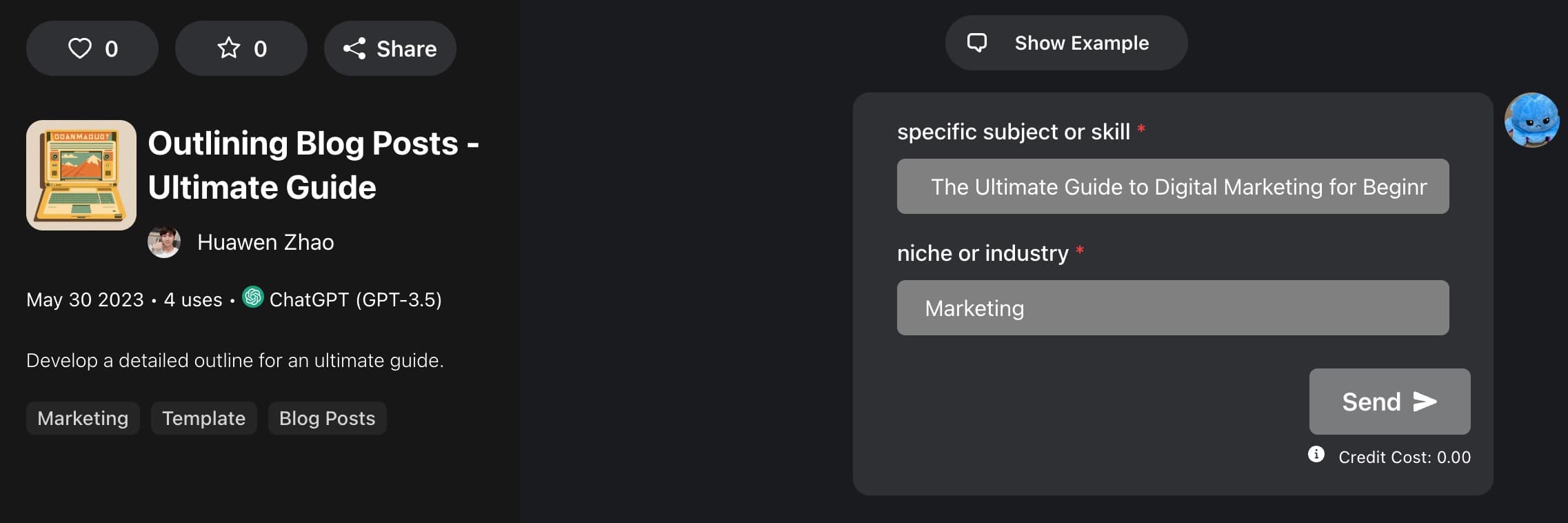
Then, when a user wants to generate a blog post, they can use the prompt as easy as fill in a form, and FlowGPT will fill in those user inputs into the template prompt and generate a blog post for them.
How to: Create a Template
Create your first Template!
Choose something you want to generate based on a custom input, for example: a story based on a character name, a poem based on a topic, a blog post based on a title, etc. It really can be anything, a text-based game, a character.
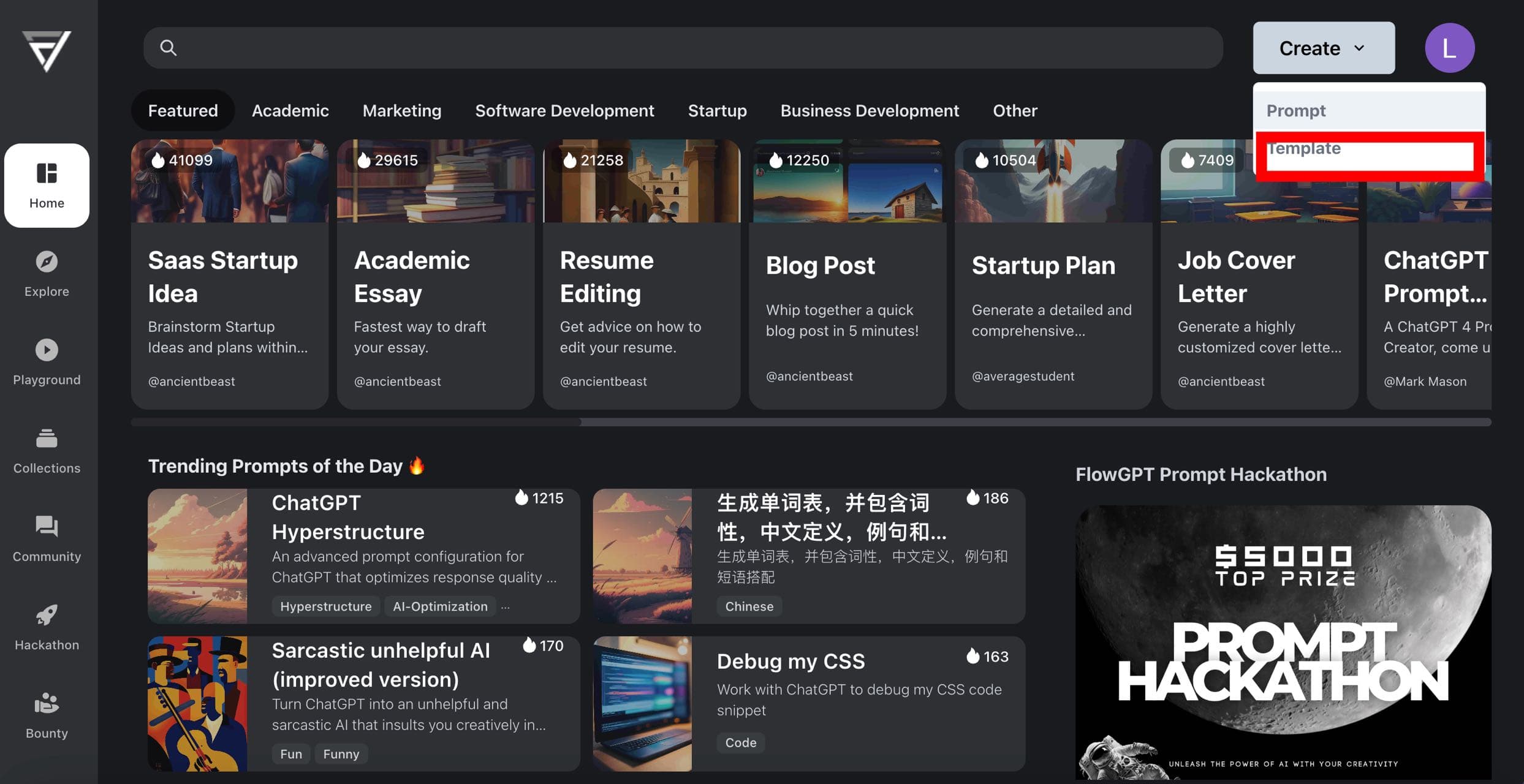
With a idea in mind, click on + Create in the nav bar, and then Create a Template
Step 1: Prompting!
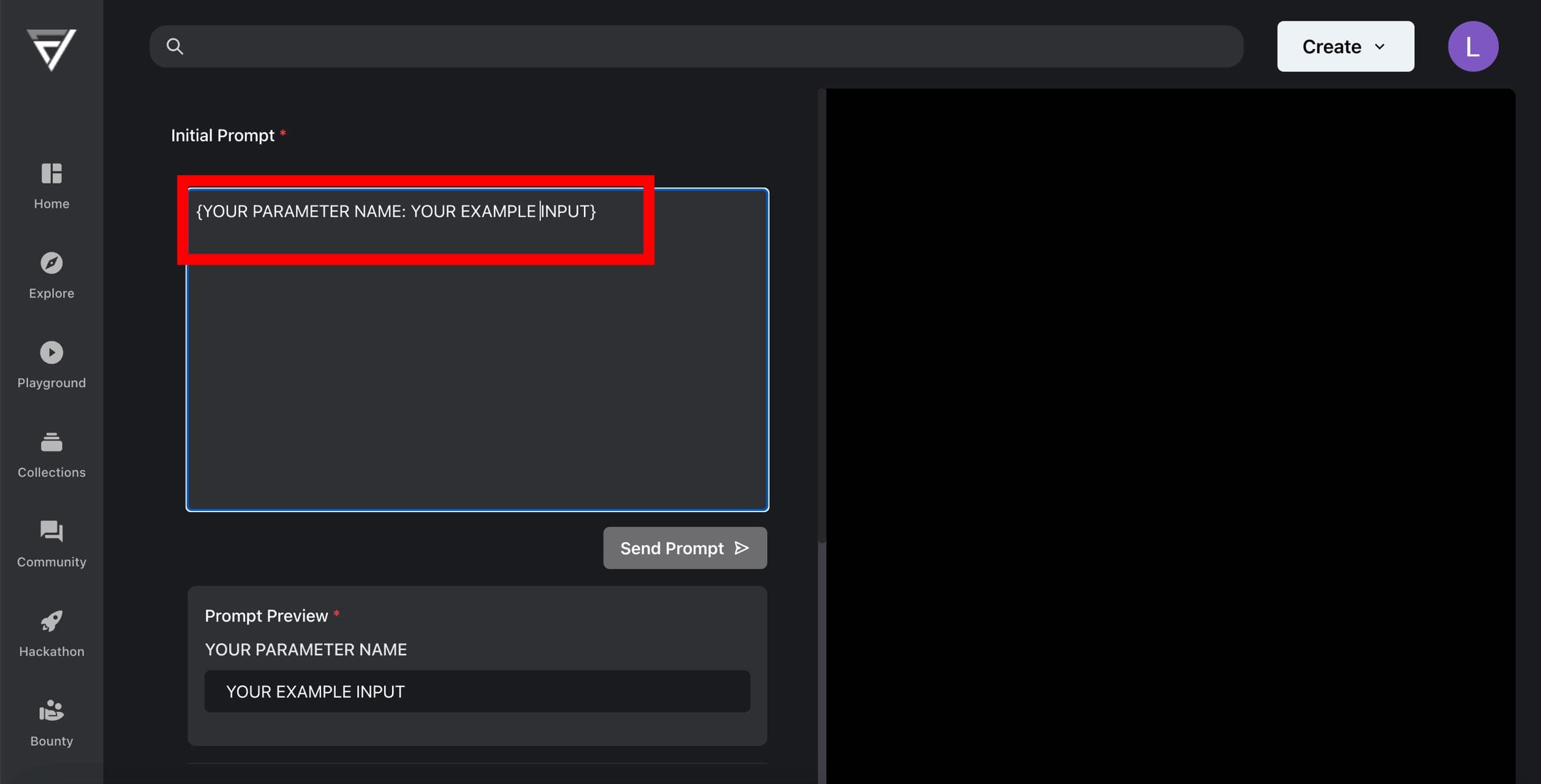
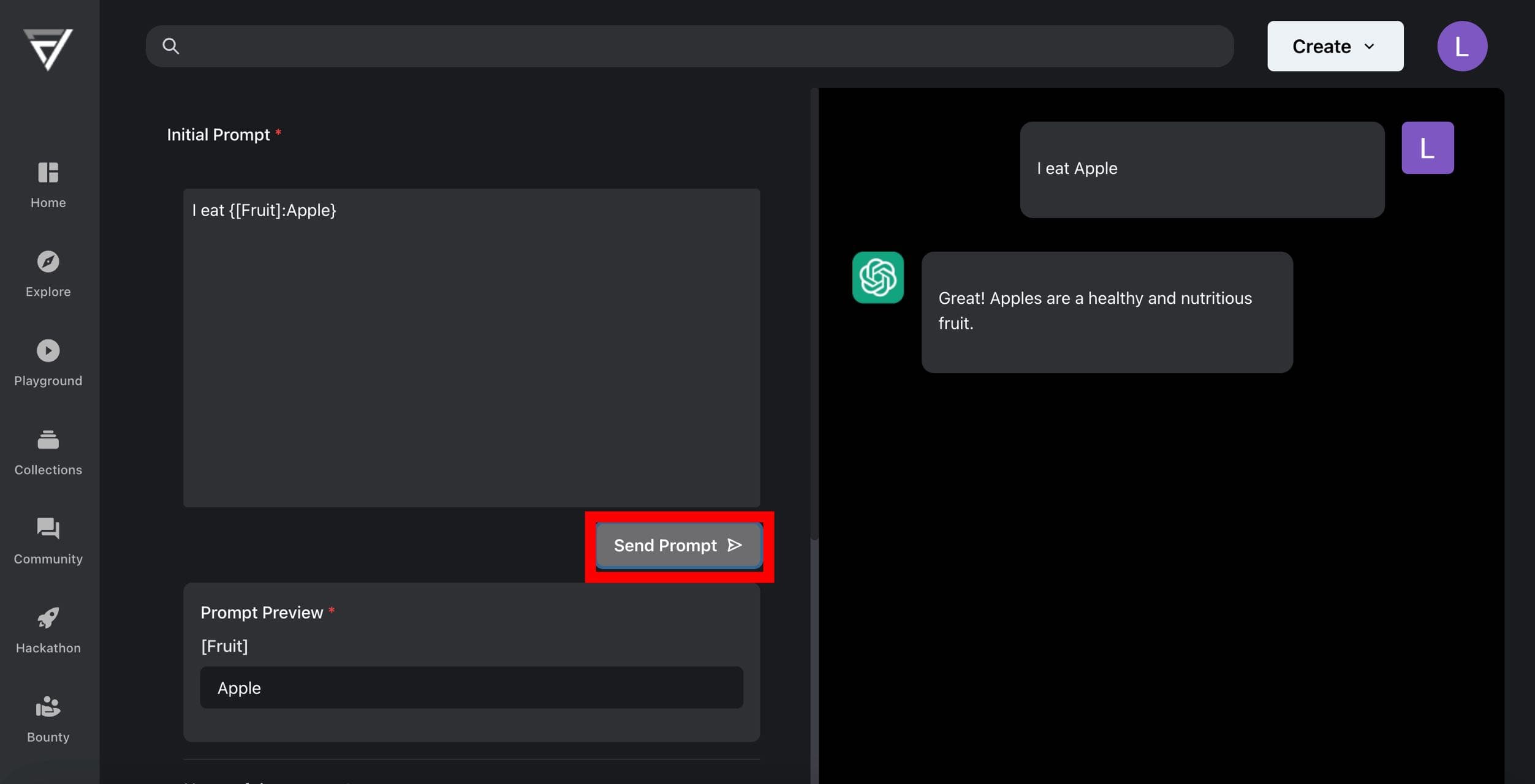
Put your prompts in Initial Prompt. You can create template option when you type {name:default_value} on the place where you want template. For example: {subject:math}. Using this users will be able to change subject without sending whole prompt.
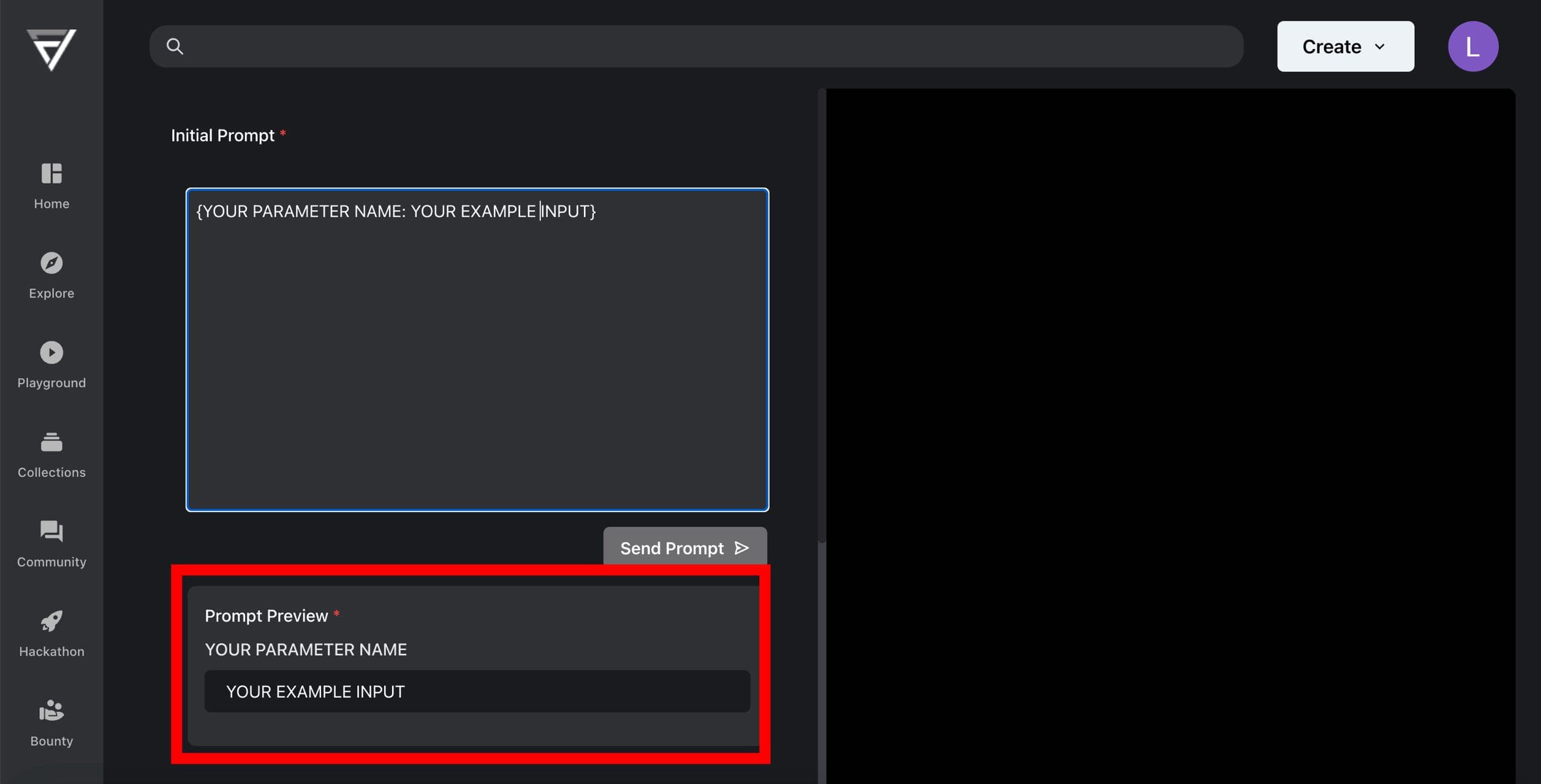
Once this block of input is entered, you will see the corresponding field under Prompt Preview.
Step 2: Testing and Previewing
After you have entered your prompts, you can test them out by clicking on Send. This will generate a preview of the template that you can use to see how it will look when it is used.
Step 3: Name, Tags and Publish
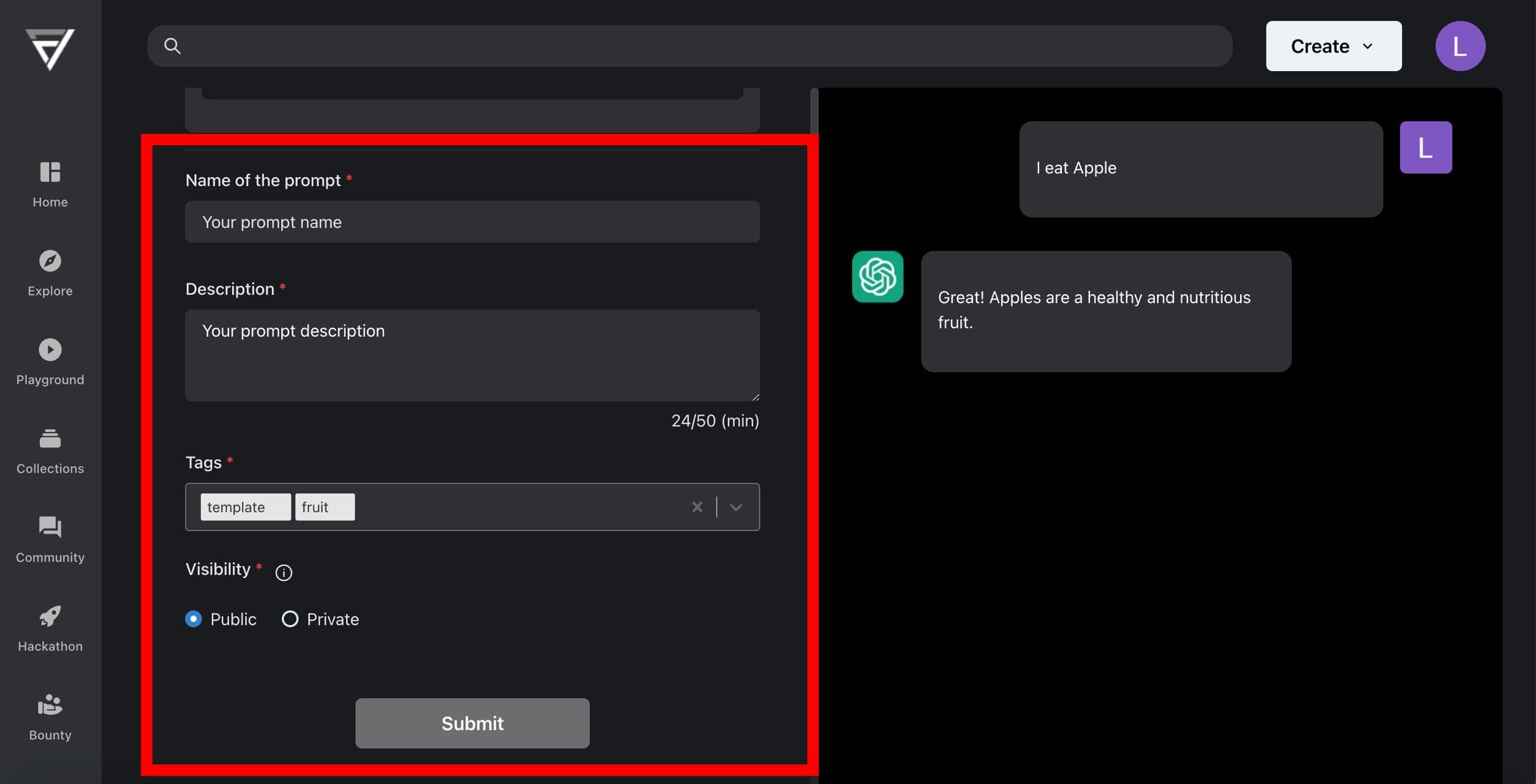
Once you are happy with your template, you can give it a name and add tags to it. You can also choose to publish it so that other users can use it.
Tips for creating templates
- Use keywords. When creating a template, it is helpful to use keywords that will help the AI model understand what you are looking for. For example, if you are creating a template for generating a poem, you could use keywords such as "poetry," "verse," and "rhyme" in
{name:value}option. - Use examples. If you can, it is helpful to provide examples of the type of content that you are looking for. For example, if you are creating a template for generating a blog post, you could provide examples of blog posts that you like. You can say that ChatGPT should bold important things using
**, make title or subtitle using#and#, etc. - Use tags. Tags are a great way to categorize your templates and make them easier to find. When creating a template, you can add tags to the template. Tags can be anything that you want, such as the topic of the template, the type of content that you are looking for, or the author of the template.
Here are some examples of templates created on FlowGPT:
- Blog post: A blog post is a type of article that is published on a blog. To create a blog post template, you would need to include the following information:
- The title of the blog post
{title:FlowGPT} - The introduction of the blog post
{intro:Blog post about FlowGPT Hackathon} - The body of the blog post
- The conclusion of the blog post
- The tags for the blog post
- The title of the blog post
- Poem: A poem is a piece of writing that uses rhythm and rhyme to create a certain effect. To create a poem template, you would need to include the following information:
- The title of the poem
- The type of poem (e.g., sonnet, haiku, free verse)
- The rhyme scheme
- The meter
- Script: A script is a written document that tells the actors what to say and do in a play, movie, or TV show. To create a script template, you would need to include the following information:
- The title of the script
- The characters in the script
- The setting of the script
- The plot of the script
- Song: A song is a piece of music that has lyrics. To create a song template, you would need to include the following information:
- The title of the song
- The genre of the song (e.g., pop, rock, country)
- The lyrics of the song
- The melody of the song
- Email: An email is a message that is sent electronically from one person to another. To create an email template, you would need to include the following information:
- The sender's name
{sender:[email protected]} - The recipient's name
{recipient:[email protected]} - The subject of the email
{subject:Bugs} - The body of the email
{body:bug information} - The attachments to the email
{attachments:links, pictures, etc.}
- The sender's name
These are just a few examples of the types of templates that you can create on FlowGPT. With a little creativity, you can create templates for any type of content that you can imagine.